
How do you grow, innovate, and deliver – at the same time? AID (Audi’s unit for self-driving cars) uses Agile to build its organisation at the same pace as their product. We interviewed their CEO Karlheinz Wurm on why they have chosen to do so. We also sneaked in a question – how is it
Continue reading
Jan Grape
Recruiting an agile team coach

 Recruitment processes for agile team coaches differ greatly from one company to another. Jan Grape and Yassal Sundman share their insights on what makes for a good process based on their work recruiting coaches for their clients.Continue reading
Automated testing is never enough
 In the pursuit to automate testing to create faster feedback loops and build quality in, some teams forget the value of manual testing. In my experience, without manual testing (as well) we are toast.

Three “no brainer” engineering practices for developers
In modern software development there are three development practices that everyone should strive to apply:
- Automated testing
- Pair or mob programming
- TDD, test driven development
After many years of using and researching these practices in the development community there is no longer any question whether these engineering practices bring value or not – they do. It’s not a matter of opinion, it’s a matter of fact. We know that now.
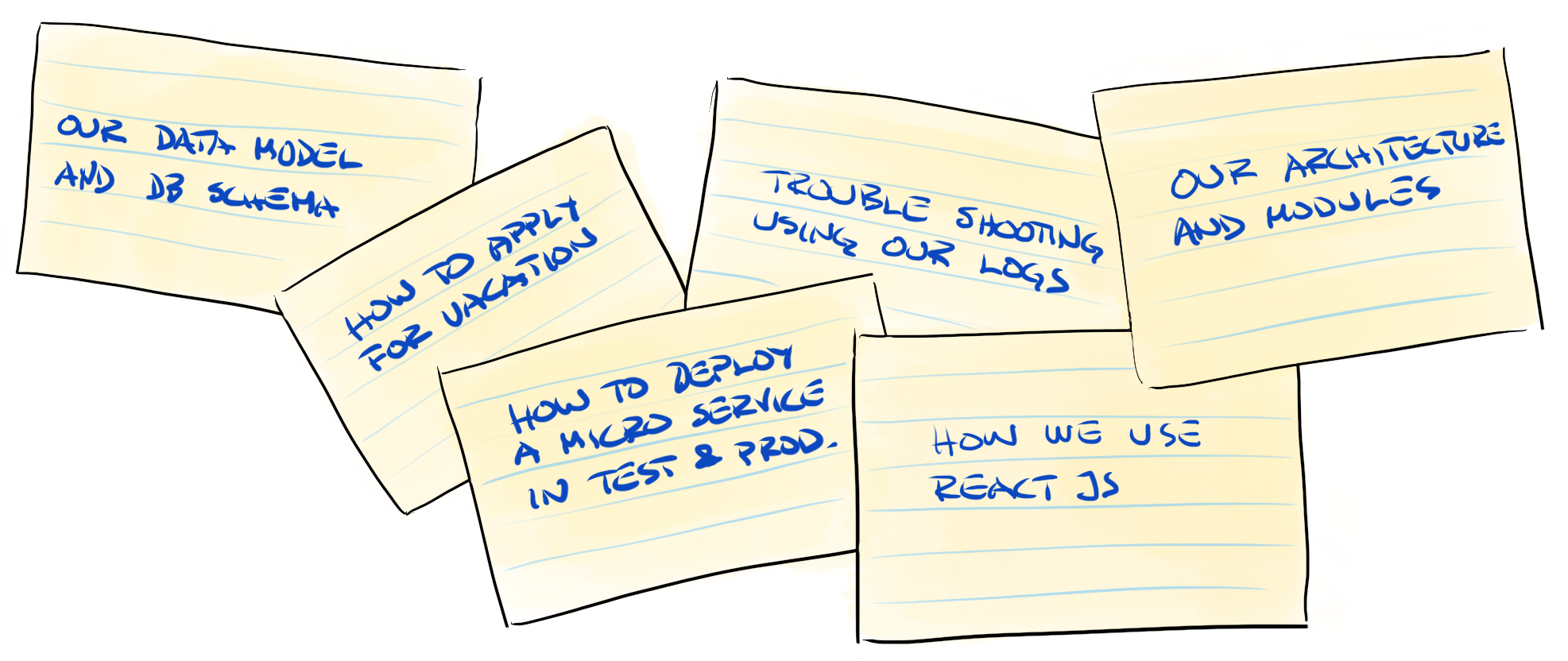
The Training Deck – how to onboard a new team member faster
There will always be a productivity dip for the team when a new member joins. The question is not if it is going to happen, but how much will productivity dip and for how long. Imagine if you could onboard new team members with a minimum of productivity loss.
Doing Scrum with Multiple Teams: Comparing Scaling Frameworks


Our article about Scaled Scrum has been published on InfoQ. In the article we describe the basics of LeSS, SAFe, and Scrum@Scale and show the similarities and differences between them You find the article about Scaled Scrum at InfoQ. Enjoy!
Continue reading
One thing that improves your personal life – and makes you a better value creator


As a high-performing tech professional, it’s useful to constantly fine-tune your ability to add value.
For example, you might ask yourself at work:
What is the one thing we can change in our product, service or in the way we work together that can bring more value to our customers or the team?
This philosophy of looking for things that can add value can also be used for your personal and professional development.
To give you some inspiration, here are some of the real life small changes and habits that our team members at Crisp have made that have added tremendous value to our personal and work lives.Continue reading

Warning! These 6 Pitfalls Will Slow Down Your Organization

You have probably read about “at scale” implementations, activity based offices, globally distributed teams, SAFe, Agile transformations and outsourcing. Beware. Danger can be lurking beneath the surface of these popular phenomena.
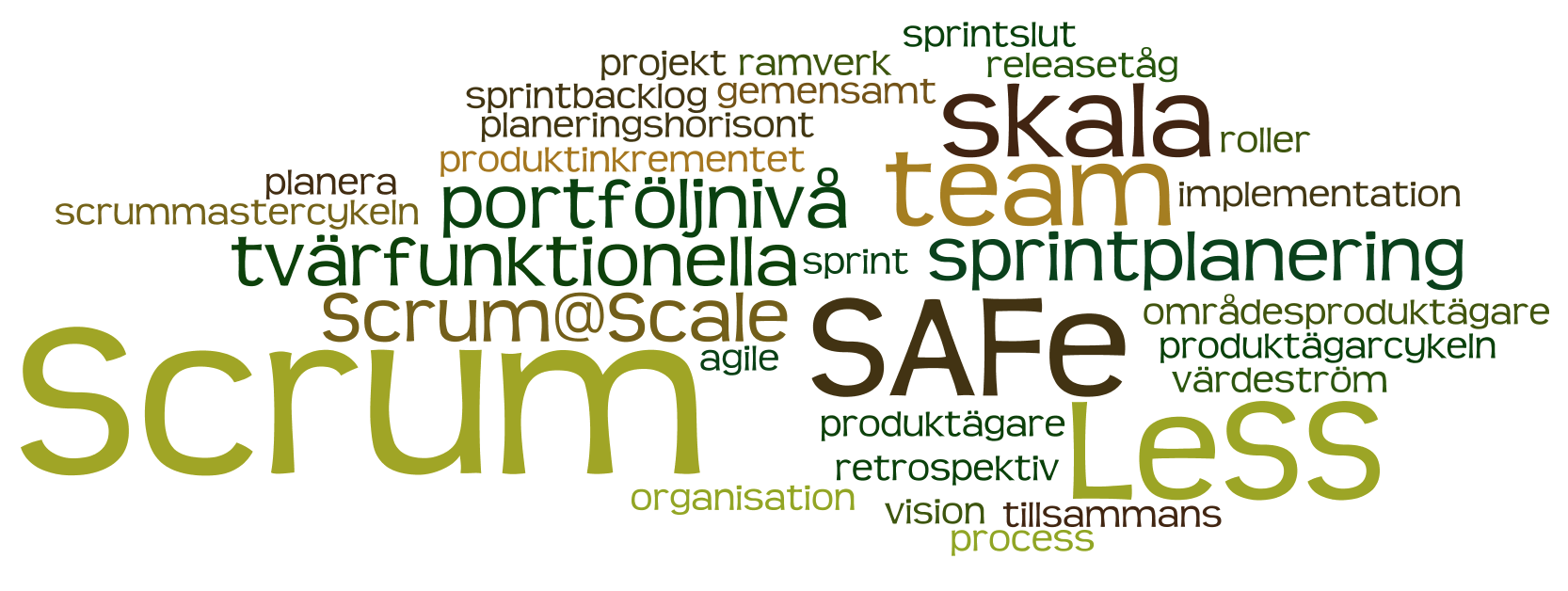
Scrum med flera team
Att organisera flera Scrum team görs på en hel del olika sätt. Här beskriver vi likheter och skillnader mellan några av de ramverk som vi har stött på hos våra kunder och utbildare, LeSS, SAFe och Scrum@Scale.
Gemensamt för LeSS, SAFe och Scrum@Scale
I alla tre ramverken utgår man från att man i botten har vanliga Scrum-team som är tvärfunktionella och självorganiserande.
Man utgår också från att vi alltid försöker bryta ner kraven vertikalt, så att varje inkrement blir så litet som möjligt men ändå kan driftsättas separat.
Underförstått är även att man kör kontinuerlig integration och automatiserad regressionstestning, och att man efter varje sprint har en produkt som går att driftsätta ifall man så väljer.
Slides from “Agile at scale”
Here are the slides from our evening event Agile at scale that took place at Crisp on May 11th. Thanks everyone who attended for making this a great evening event!
Continue reading
Lean and agile at Edgeware
Edgeware is a cool hardware and software company helping operators to build efficient video content delivery networks. Read their blog about what we have been up to since August this year: Lean and Agile at Edgeware
Continue reading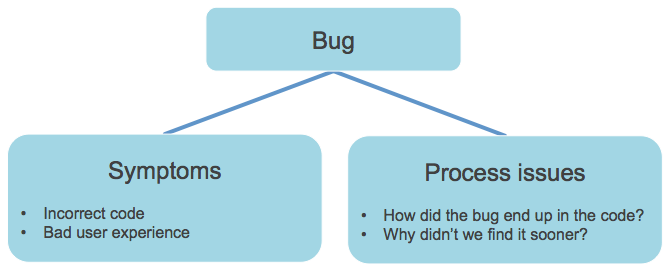
Every bug means two problems
Finding a bug in your application actually means you have at least two kinds of problems: symptoms and process issues. To deal with quality in a sustainable way, you have to fix both!
Learnings from a new technology stack
After years of programming in Java with frameworks like Spring, GWT, JBoss, Hibernate, Seam and other traditional stuff, I needed a new learning curve. My colleague Mats Strandberg invited me to create a new version of his code kata/hobby project SignUp.
SignUp has been built and rebuilt several times before, but for this incarnation (number 4 of the more prominent ones) we decided to use some stuff we haven’t used so much before: Scala, Play! Framework 2.0, Anorm, Twitter Bootstrap and Secure Social. We store the source code on GitHub and deploy on Heroku. In this article I’ll summarize some of the things I learned so far. Since I’m an IntelliJ IDEA user, there is some of that too…

Properties of a good daily stand-up


I had a conversation with some of my colleagues about what makes a good daily stand-up, here are some properties: Time-boxed (15 minutes) Everyone is engaged Synchronization is taking place Attention to problems People ask for help The conversation is about stuff that matters to most people, individual issues are postponed Anyone can lead the
Continue reading
The Product Owner team
In my opinion, the Product Owner (PO) role is the most demanding one in Scrum, since the PO needs to have so many talents and you rarely find all of them in one single person, so in my current team we formed a PO team instead.
Continue reading
Where to store the product backlog and the release plan
In my present team we have tried many formats for the product backlog and the best one so far is – PowerPoint!
Continue reading
Why should I care about Scala and Akka?
Java is great and I have been doing it for years. Why should I care about things like Scala and Akka?
The short answer could be:
- Scala is the future
- Akka is the killer framework
Micro agile
When we develop using agile principles we have learned to "do the simplest thing that can possibly work". What happens if we apply this thought to agile methodology itself?
In my experience the three most important components in a successful application of agile methods are:
- Joy
- WIP limit
- Regular retrospective
Ivar har ju faktiskt rätt om en sak
I Computer Sweden skriver Ivar Jacobson att Det knakar rejält i Scrums fogar och trots att Ivar låter som en gammal sur gubbe som glömt att även RUP genomgått samma hypekurva som Agile/Scrum nu gör håller jag med honom om riskerna på en punkt: Det finns verkligen en tendens till "ingen arkitektur, ingen modellering, bara koda och strukturera om senare".
Continue reading Lyft på rumpan!
I dessa agila tider sker allt mer utvecklingsarbete vid tangentbordet, men är det verkligen bra? Ställ er vid tavlan och rita pilar och bubblor innan ni knackar kod! Fast man kan inte göra som vi gjorde förr, BDUF är fortfarande dött.
Continue reading Hur man får bättre kodkvalitet
Hur höjer man kvaliteten på koden i ett projekt?
Här min topplista på vad man kan/bör göra.
Lean = Mini waterfall?
Min gode kollega Hans Brattberg ställde denna provocerande fråga:
Vad i Lean hindrar oss från att göra en kejda av
Req Spec -> Architecture -> Design -> Program -> Test -> Production
Med handovers hela vägen?
Utan kommunikation?
Utan Cross Functional?
Utan Feedback?
Parprogrammering – är du tveksam?
Innan jag började med parprogrammering för några år sedan var jag en skeptiker. Numera vet jag att det fungerar och varför. Får jag välja själv, programmerar jag inte på något annat sätt.
När en kollega nyligen efterlyste argument för parprogrammering (då han mött en motsträvig organisation) fick jag konkretisera min tankar kring varför det fungerar och vilka vinster man når.
Continue reading